
A backlink outreach tool helps your team identify relevant publishers, find appropriate contacts, manage personalised pitches and follow-ups, and connect those conversations to earned placements. For an agency, the hard part is not sending more emails. It is keeping each client's prospects, approvals and results distinct while giving publishers a credible reason to link.
My shortlist is BuzzStream for relationship-led campaign management, Pitchbox for more structured multi-client operations, Hunter for contact finding and lightweight sequences, and Mailshake for teams that already have qualified prospects and need an outreach engine. These are different approaches to the same job, not four interchangeable backlink databases. I compared public product documentation and pricing, not results from hands-on campaign tests. Features, allowances and prices should be reconfirmed before purchase.
Table of contents
- What counts as a backlink outreach tool?
- How I compared the four options
- A practical agency scoring test
- Report placements, not just outreach activity
- Keep outreach responsible
- Which tool should your agency shortlist?
What counts as a backlink outreach tool?
A backlink checker shows links that already exist. Prospecting software helps identify possible publishers. An outreach tool takes a qualified opportunity further: who to contact, why your client's resource belongs on that page, whether someone has already contacted them, what to send next, and what actually happened. Some products cover that entire journey; others handle only the contact and email stages.
That distinction matters when evaluating an all-in-one SEO suite or a low-cost email sequencer. A list of competitor referring domains is research, not an outreach campaign. A reply is a conversation, not a confirmed backlink. I would only count a placement after checking the live source page, the destination URL and whether the link meets the client's brief. Google's link spam policy also distinguishes genuine editorial links from schemes designed to manipulate rankings.
How I compared the four options
These four products have publicly documented ways to send or manage outreach. I assessed each against the same agency questions: prospect discovery and qualification; contact finding; reviewable personalisation and follow-ups; separation of client work; and visibility from reply to live placement. I also checked publicly available plan information. Where a feature depends on a tier or another tool, the comparison says so.
The best fit depends on which stage is slowing you down. If an agency has a strong prospecting process but weak email coordination, buying more prospect data will not fix the bottleneck. If the team already sends excellent pitches but cannot tell which client earned which link, a general-purpose sequencer may be too thin.

The evaluation path above keeps four questions separate: Is the site relevant? Is this the right contact? Has a person checked the pitch? Did a suitable link actually appear? Keep a separate lane for each client throughout.
| Tool | Strongest fit | Prospect and contact workflow | Multi-client or outcome trade-off |
|---|---|---|---|
| BuzzStream | Relationship-led outreach | Research prospects, discover contacts and manage communication | Check project, permission and reporting allowances by plan |
| Pitchbox | Structured agency operations | Prospecting, verified contacts, sequences and link-centric CRM | Workspaces and approval features differ by tier; annual commitment |
| Hunter | Contact-first, lighter campaigns | Find and verify business emails, then run sequences | Needs an external process for link-specific qualification and placement checks |
| Mailshake | Email execution on an existing prospect list | Templates, merge fields, follow-ups and response management | Requires separate link-prospect research and confirmed-placement tracking |
1. BuzzStream: best for relationship-led outreach
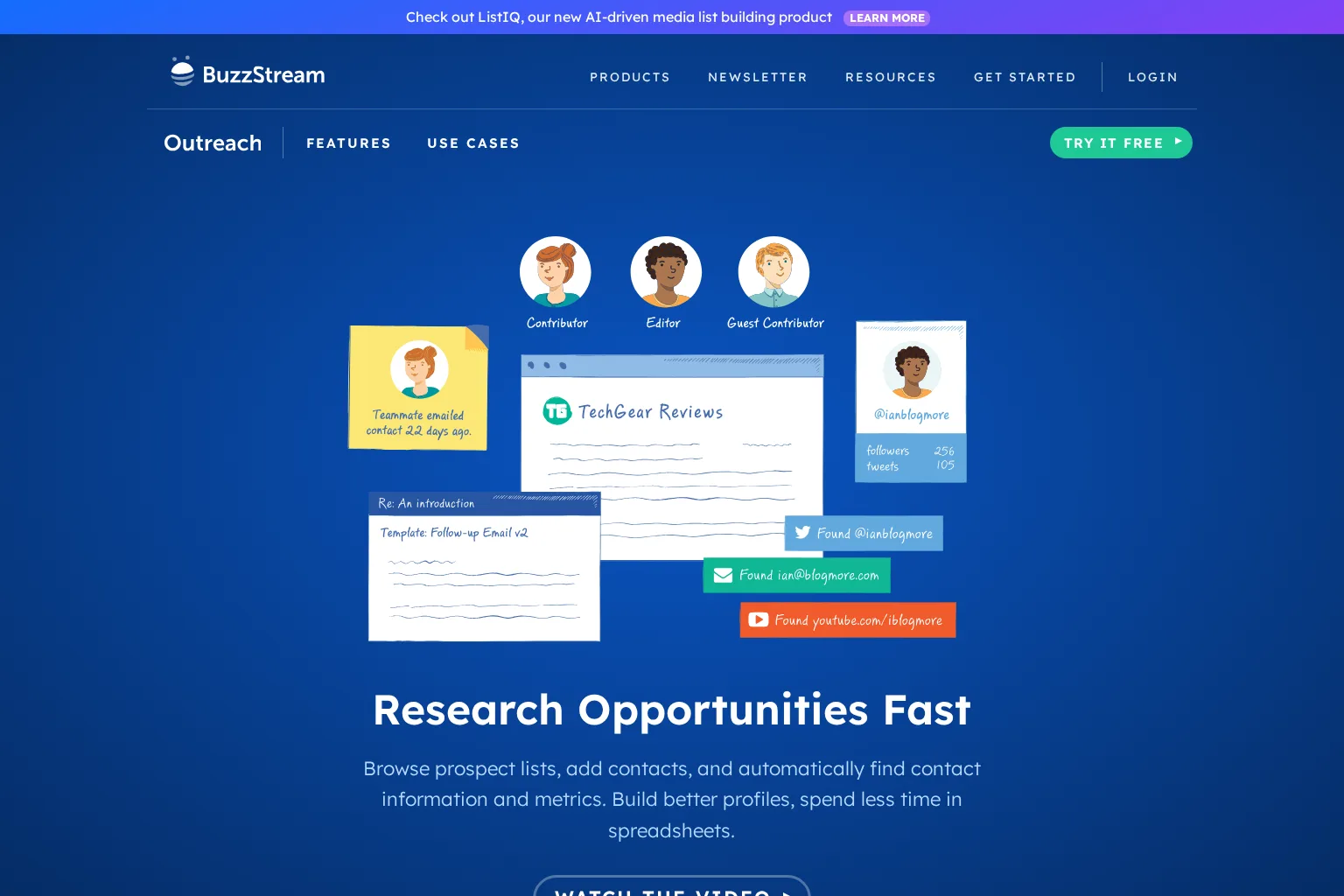
BuzzStream combines prospect research with contact records and shared link-building projects. Its prospect research overview describes finding contact details and site metrics, importing URLs, and segmenting lists; its link-building page covers personalised outreach, reminders, team tasks and campaign progress. That makes it attractive when different account managers might otherwise pitch the same publication without seeing the relationship history.
I would use it when editorial judgement sits at the centre of the process: a researcher qualifies the source page, an outreach specialist checks the editor and angle, and an account manager follows the conversation. Do not equate a site's authority metric with relevance. For a client selling specialist manufacturing software, an industry association's resource page may be worth more than a broad, high-metric lifestyle site.
Plan and limitation: BuzzStream's pricing page lists monthly plans without a minimum contract and distinguishes its entry tier from Growth, which adds automated follow-ups, team sharing, project reporting and customisable permissions. The page also displays inconsistent legacy plan prices in a second comparison table, so I would confirm the actual checkout quote rather than publish a single starting figure. Ask for a demonstration of client-specific access and what counts as a reported placement, not just a sent email.
Choose BuzzStream if you need a shared outreach CRM with human-led prospect review and are prepared to match permissions and reporting to the right tier.
2. Pitchbox: best for defined multi-client production roles
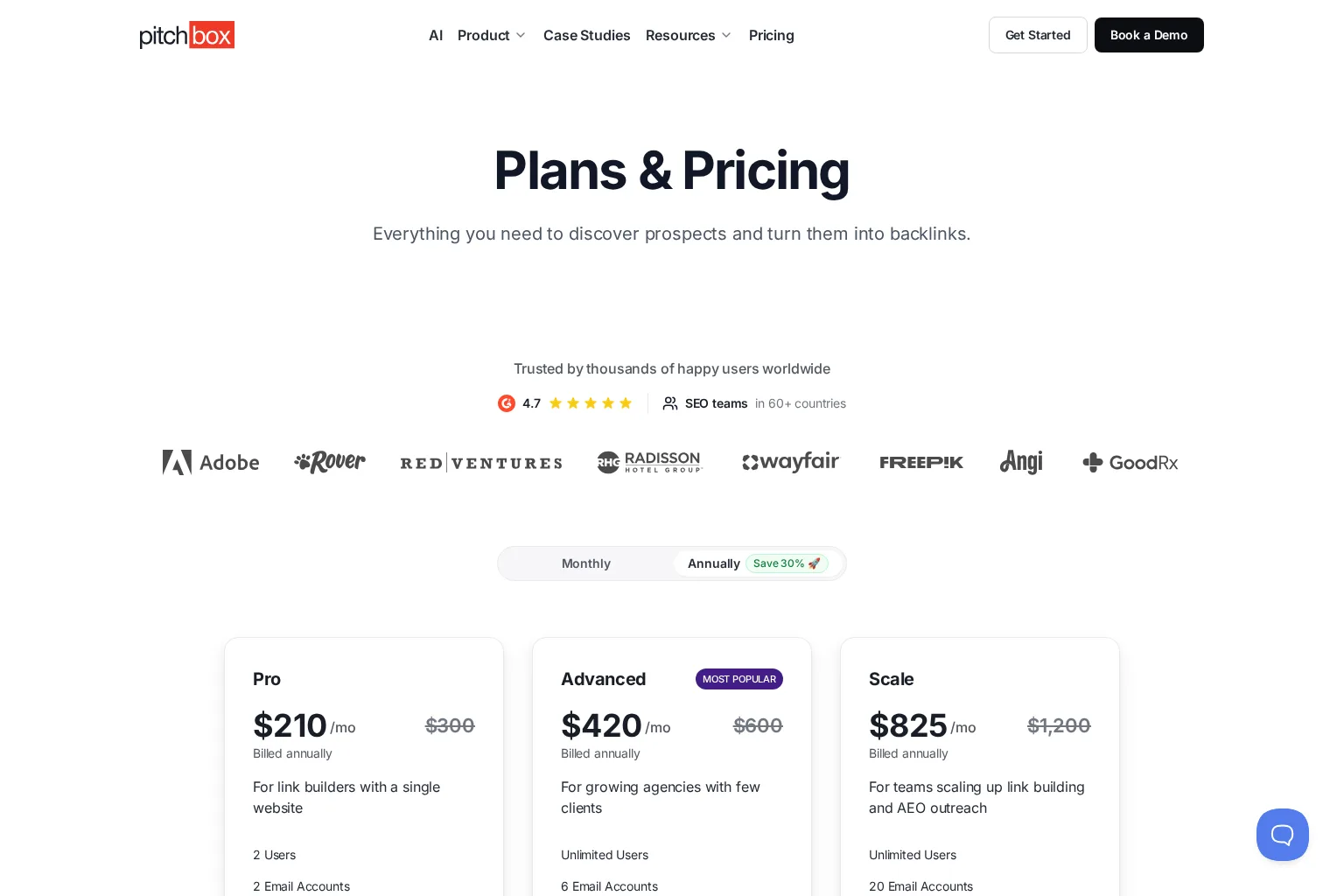
Pitchbox has a more explicitly staged link-building workflow. Its product overview covers search-based and imported prospects, contact finding, email sequences, a unified inbox, link-centric CRM records and client reporting. It also describes project-level access and granular permissions, helpful when a researcher, personaliser and manager should not all have identical control over a client's campaigns.
The important buying question is not whether Pitchbox has automation, but which decisions remain reviewable. An agency might import a competitor-link opportunity, have an analyst confirm that the exact page serves the same audience, and require an editor to approve the proposed reason for inclusion before any message goes out. Ask the vendor to walk through that hand-off, then show the resulting live URL in a client report. Automated monitoring is useful, but a discovered link still warrants human verification of context and target.
Plan and limitation: Pitchbox's pricing comparison lists one workspace on Pro and 25 on Advanced; its dedicated approval workflow is listed on Scale. Advanced is advertised at $420 per month when billed annually, versus $600 per month billed monthly, and the vendor says all plans require a one-year commitment, regardless of billing frequency. Check email-account, credit and workspace allowances against your active client load before treating the plan as economical.
Choose Pitchbox if distinct client projects, specialist roles and auditable steps are worth more to you than the lightest possible setup.
3. Hunter: best for finding contacts and starting lean
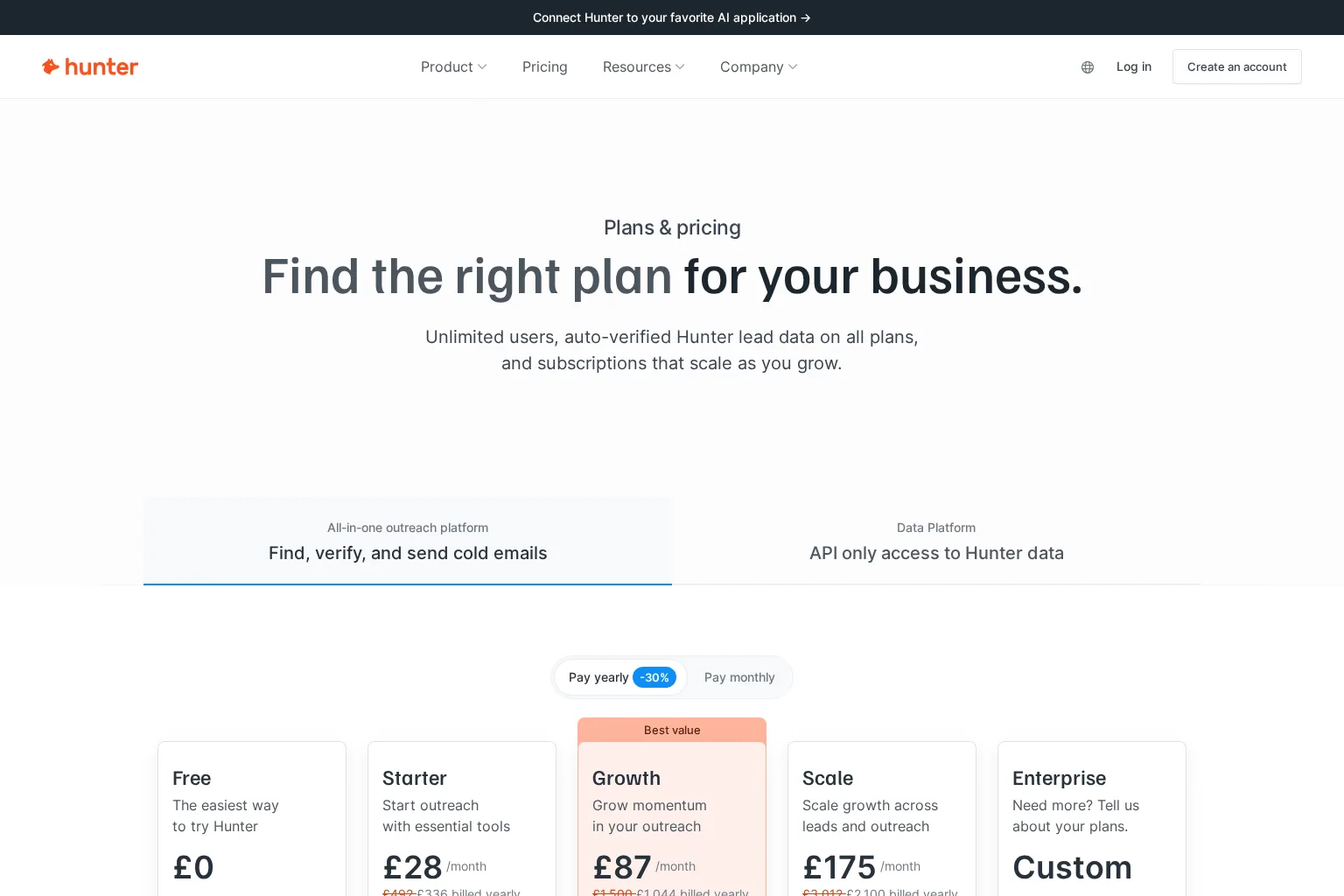
Hunter is the contact-first option here. Its outreach plan comparison includes email discovery and verification, a B2B prospect database, and Sequences for sending outreach from connected inboxes. Hunter's Sequences guidance describes a dedicated inbox for campaign replies and team collaboration. These capabilities can close the gap between a researched publisher list and a manageable conversation, particularly for an agency just establishing its process.
What Hunter does not replace is link-specific editorial qualification. Finding an address at a relevant domain does not identify the owner of the particular page, establish that they accept contributions, or prove that a link was published. I would keep the target source URL, asset, rationale, sender, status and verified placement in a client-specific record outside the sequence. That extra work is acceptable for small campaigns, but less appealing if multiple clients share a large outreach team.
Plan and limitation: Hunter's UK pricing page shows a £0 Free plan with 50 credits per month, one connected email account and a per-sequence recipient limit. Paid plans have monthly or annual billing, with different credit and inbox allowances. Free access is useful for a pilot, not evidence that a multi-client outreach programme has no costs. Test how quickly your real contact-finding and verification needs consume the allowance.
Choose Hunter when finding a trustworthy contact is the main bottleneck and you can manage publisher relevance and live-link evidence elsewhere.
4. Mailshake: best when prospect research is already solved
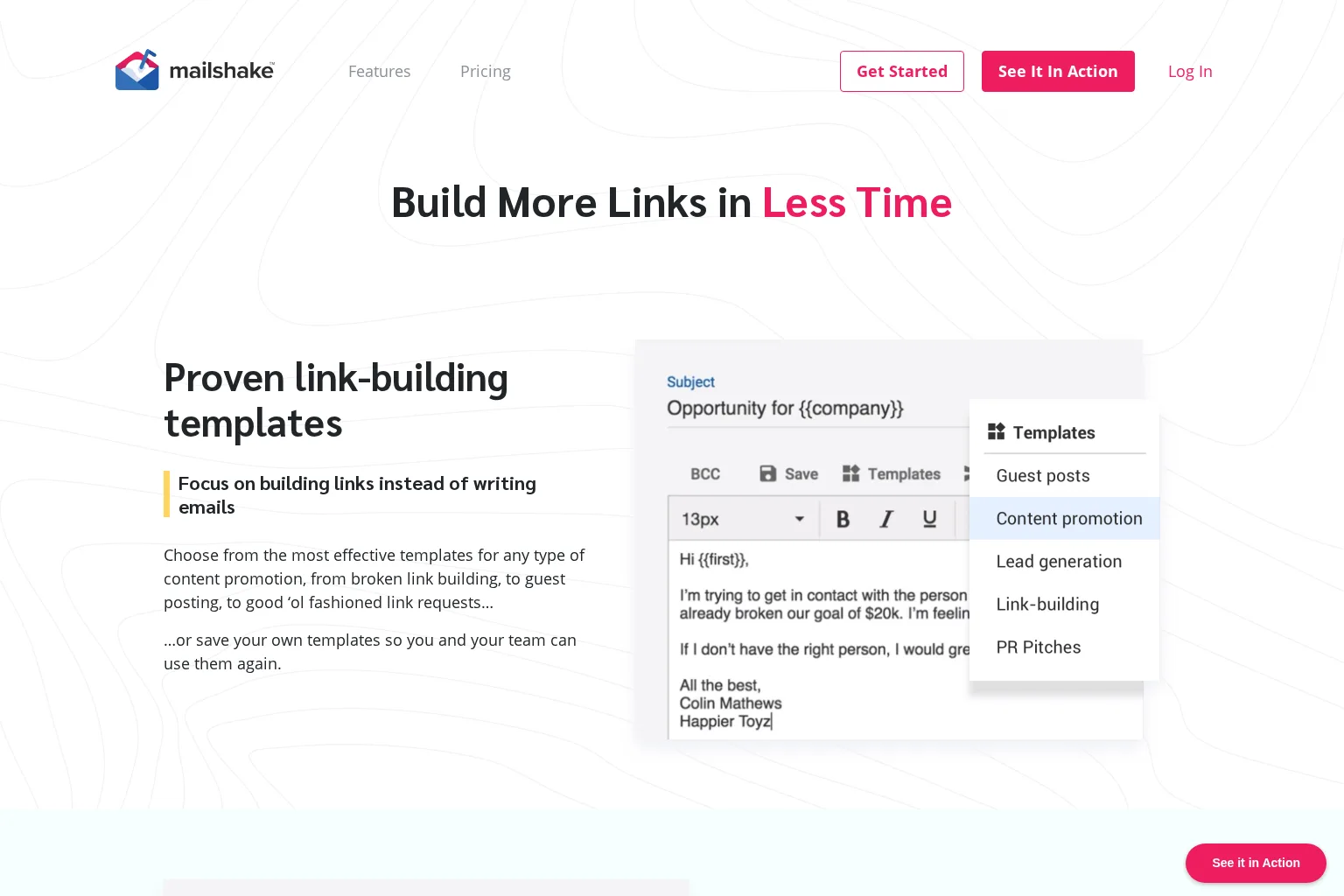
Mailshake's link-building use case emphasises reusable pitches, merge-field personalisation, automatic follow-ups, campaign analytics and a queue for managing responses. It fits a team that already maintains a carefully vetted publisher list and wants a repeatable sending and reply workflow without adopting a specialist link-building CRM.
That strength is also its boundary. A campaign dashboard can tell you who replied, but a reply or a clicked link is not a placement on a publisher's site. I would import only approved, deduplicated prospects, write a reason specific to the publication, and store confirmed source-page URLs in a separate client log. For agencies with shared publisher contacts, check who owns suppression and whether a second client campaign could contact the same editor without context.
Plan and limitation: The Mailshake pricing page lists an entry plan at $29 per month on monthly billing and explains that billing is based on purchased users. It offers higher tiers and an agency plan through sales, while stating that there is no free trial. Confirm the number of senders and whether the functions you need, including advanced personalisation or a unified inbox, are in the quoted tier.
Choose Mailshake if outreach execution, rather than link prospecting or native placement verification, is what you need to improve.
A practical agency scoring test
Instead of scoring a vendor by total emails allowed, run the same small, authorised client scenario through each shortlisted product. I would use one client, one linkable resource, and a handful of relevant publisher pages, then repeat the process with a second client to test separation. Do not send test messages without the client's approval.
Score each category from 0 (cannot demonstrate) to 2 (clear, usable workflow). Give the first and last categories extra weight if your team has struggled with irrelevant prospects or weak client reporting:
- Prospect relevance: Can a reviewer save the exact page, its audience and a credible reason it might cite the client's asset? Can the team exclude irrelevant domains?
- Contact confidence: Can you see who the proposed recipient is and verify the address before sending? How are bad or duplicate records handled?
- Editorial control: Can a person inspect the pitch, sender identity and follow-up timing? Can replies or opt-outs stop further messages?
- Client separation: Can you keep inboxes, permissions, prospect history and exports distinct for two client websites? What happens if both teams know the same publisher?
- Verified outcomes: Can you associate an outreach record with a live source URL, target URL and placement date? Can a client report distinguish attempts, replies, agreed opportunities and checked links?
- Real cost: Price the seats, sending accounts, data credits, workspaces, add-ons and contract commitment needed for your actual volume, not the cheapest advertised configuration.
A 0 to 12 total is only a conversation starter. An otherwise strong tool that cannot keep client access separate might still be disqualified. Ask for a demo of the failing step rather than averaging away a critical requirement.
Report placements, not just outreach activity
I would keep a simple funnel per client: qualified source pages → contacts checked → pitches approved → emails sent → substantive replies → opportunities agreed → live placements verified. Record unsuccessful replies too; they reveal weak angles or mismatched publisher lists. A placement row should include the source page, target page, date checked, link context and any relevant link attribute. These are operational definitions for your report, not promises of ranking gains.
For example, 80 emails, 12 replies and three interested editors do not equal three backlinks. If only one editor publishes an appropriate, live link to the intended client page, the confirmed outcome is one placement. The other conversations remain in progress. This also makes it easier to explain why a smaller, better-matched prospect list can outperform a large unreviewed export.
Keep outreach responsible
Personalisation should explain why a specific reader or page benefits from the resource, not merely insert the recipient's name into a template. Set a review step before sending, remove people who object, avoid repeated unsolicited follow-ups and do not imply a relationship that does not exist. If a placement is paid or exchanged to influence rankings, review Google's link spam guidance, including its rules on qualifying sponsored links.
For UK-targeted campaigns, the Information Commissioner's Office B2B marketing guidance distinguishes corporate subscribers from sole traders and certain partnerships. It also says using a person's business contact details can bring UK GDPR obligations into play, even where the corporate-email marketing rule differs. Check the rules for each recipient and jurisdiction before enabling bulk sends; publicly available contact data is not blanket permission.
Which tool should your agency shortlist?
Start with the failure you can demonstrate. For shared relationships and campaign records, trial BuzzStream. For separated client projects and staged production roles, request a Pitchbox walkthrough and verify the tier. For an inexpensive contact-finding pilot with basic sequences, start with Hunter, while budgeting for your external link log. If your publisher research is already rigorous and email follow-up is the bottleneck, examine Mailshake. In every case, require a path from a qualified source page to a verified live link.
Outreach also needs something genuinely worth citing. If your agency is planning useful resources across several websites, explore Scout's agency content workflow alongside your outreach shortlist. Keep content production and link outreach as separate jobs, with client context and editorial review connecting them.