
TL;DR
An SEO website analysis should leave you with a short list of justified actions, not a target health score. Validate findings on important URLs, deal with confirmed accessibility and indexing blockers first, then compare other improvements by impact, confidence and effort. Give each task an owner and a verification check. Confirm the fix before judging its effect on search performance.
A report says your website has hundreds of issues. Should you rewrite titles, improve loading speed or investigate pages missing from Google?
We start with a different question: which finding represents a real problem on a page that matters to the business? That question separates useful diagnosis from a long list of warnings.
SEO website analysis evaluates technical accessibility, on-page signals, content usefulness and organic performance. Those are connected, but they are not interchangeable. Google describes discovery and search delivery through three stages: crawling, indexing and serving results. Passing one stage does not guarantee success at the next. Google’s explanation of how Search works provides the foundation.
This guide starts after you have an analysis report. We will turn its findings into validated, prioritised work, then check what changed.
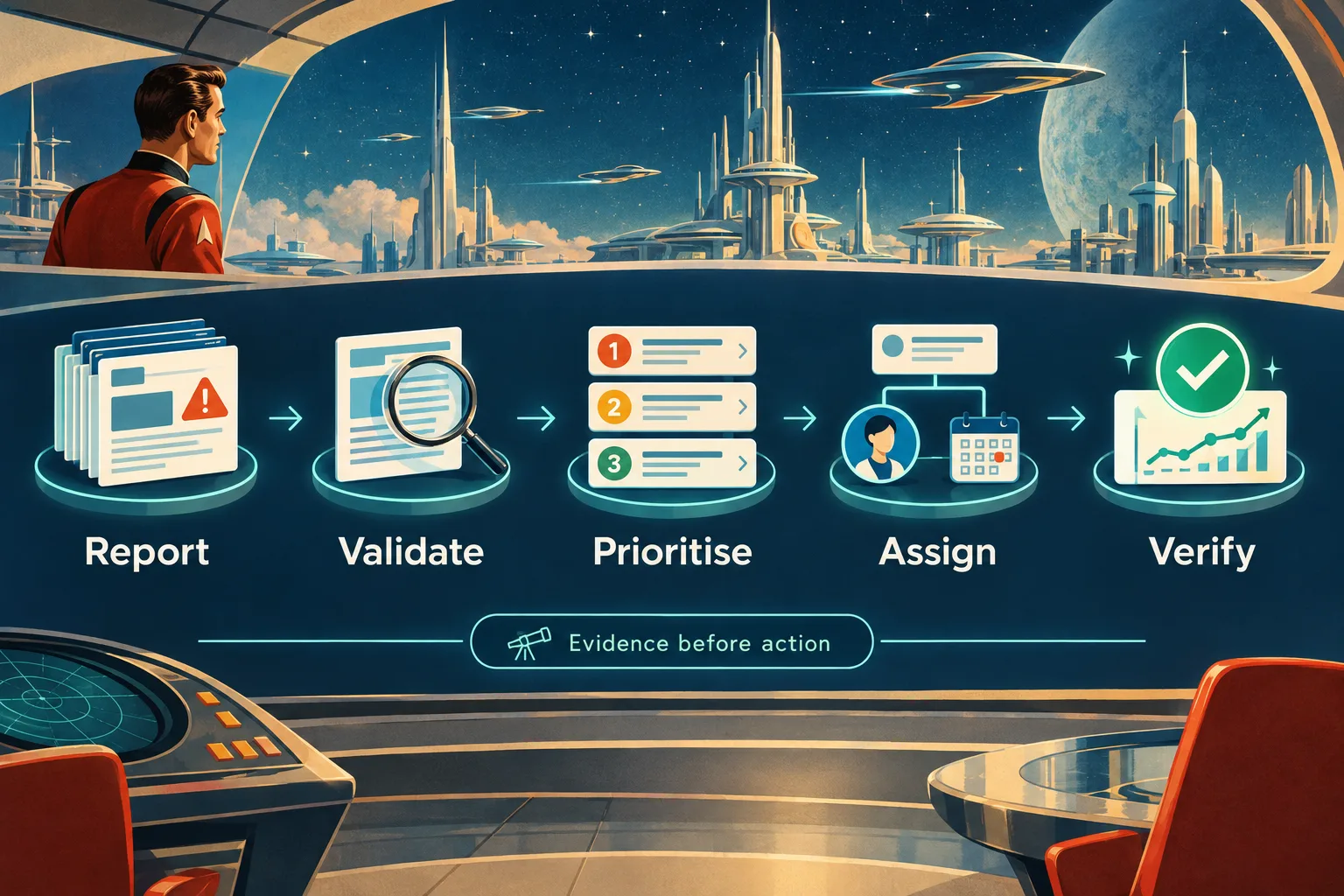
Table of contents
- Before you start: gather the evidence
- 1. Check what the report actually measured
- 2. Validate findings against important URLs
- 3. Separate blockers, page improvements and content opportunities
- 4. Rank the remaining work by impact, confidence and effort
- 5. Give each priority an owner and a completion test
- 6. Verify the change, then evaluate performance
- Frequently asked questions
- Turn your report into three accountable actions
- Sources
- Recommended Reads
Before you start: gather the evidence
Have these inputs ready:
- A dated analysis report with affected URLs, not just an overall score.
- Authorised access to the relevant Google Search Console property and your analytics reports.
- A shortlist of commercially important pages and their intended outcomes, such as qualified enquiries or purchases.
- Access to someone who can investigate the CMS, templates and hosting, plus the person responsible for content.
- A shared spreadsheet or task board.
Read access is enough for the initial review. Implementation needs separate permissions and approval, particularly for sitewide changes.
If your report only checks the homepage, do not assume it describes the whole website. Collect broader evidence first using our full site SEO audit guide. Here, the task is interpretation rather than another crawling tutorial.
1. Check what the report actually measured
Record the report date, scope and settings before interpreting its warnings. Was it a single-page check or a site crawl? Which sections were excluded? Did the analysis include rendered pages, search-performance data and human content review, or only checks against retrieved HTML?
Use four categories to identify what evidence you have and what still needs investigation:
| Analysis area | Questions to investigate | Evidence to bring together |
|---|---|---|
| Technical accessibility | Can important pages be reached, fetched and considered for indexing? | Crawl findings, live checks and indexing information |
| On-page signals | Do titles, headings and internal links describe each page’s purpose clearly? | URL-level report and the actual page |
| Content usefulness | Does the page answer the intended customer’s question with credible detail? | Human review and subject-matter input |
| Organic performance | Which pages and queries earn visibility and clicks? | Search Console data, alongside business outcomes |
Treat the health score as a summary, not a diagnosis
We would not use a universal pass mark to decide whether a website is performing well. Instead, inspect the score’s methodology: which checks count, how issues are weighted and which URLs are included.
A hypothetical site could pass most checks while an important service-page template has an accidental indexing restriction. Equally, a report could contain many warnings affecting pages intentionally kept out of search.
Google makes a related distinction for page experience: good Core Web Vitals or third-party report results do not guarantee top rankings, and chasing perfection purely for SEO may be a poor use of time. Its page-experience guidance explains why scores need context.
Before moving on: write down the report’s scope and limitations. If an important area was not assessed, label it “not assessed”, rather than treating silence as a clean bill of health.
2. Validate findings against important URLs
Take the highest-severity warnings and inspect actual examples. Begin with business-critical pages, then sample other affected pages from the same template and an apparently unaffected page for comparison.
For each finding, establish:
- What is observed? Record the exact warning, response or missing element.
- Where does it occur? Identify the affected URLs and shared template or setting.
- Is it unintended? Confirm how those pages are supposed to behave.
- Does it still happen? Reproduce it on the live site rather than relying solely on an old export.
“Twenty pages are not indexed” is not yet a diagnosis. Those URLs might include deliberate duplicates or pages that should never appear in search. Google explicitly says that not every URL should be indexed; important canonical pages are the priority. The Page indexing report documentation explains that distinction.
For a specific important URL, compare the stored indexing information with a live inspection. They answer different questions. The stored result describes Google’s indexed information; a live test assesses current accessibility and potential indexability. The live test cannot predict Google’s canonical selection. Use the indexed information to examine the Google-selected canonical, following the URL Inspection documentation.
Suppose a report flags a service page as excluded. The useful finding might be: “An unintended indexing restriction affects twelve service pages using the new template.” That is much more actionable than “indexing needs improvement”.
If you cannot reproduce the warning, check its timestamp, URL variant and analysis settings. Keep it as an investigation, not a confirmed fix request.
Output: a validated finding with evidence, affected pages and a clear statement of why the behaviour is wrong.
3. Separate blockers, page improvements and content opportunities
Put confirmed findings into three working groups. We recommend separating urgency from the number of affected URLs: a fault on one essential page can matter more than hundreds of minor warnings.
| Group | Illustrative finding | Next action |
|---|---|---|
| Confirmed blockers | Important service pages cannot be fetched or have an unintended indexing restriction | Escalate to the responsible technical owner and define a safe fix |
| Page or template improvements | Useful pages have unclear titles, weak internal routes or a shared performance problem | Confirm the cause, scope and likely benefit |
| Content opportunities | An accessible page leaves an important buyer question unanswered | Brief an update or investigate whether distinct new content is needed |
Group repeated symptoms under their likely root cause. If one template generates unclear titles across many pages, start with one template investigation rather than separate tickets for every URL. Do not assume that similar-looking warnings always share a cause; validate representative examples.
Interpret speed and content warnings differently
For performance findings, distinguish real-user field data from controlled lab diagnostics. Google’s PageSpeed Insights documentation explains that lab data helps debugging, while field data reflects real experiences. Also check whether the field data describes the specific URL or the broader origin. Missing real-user data is not proof of good or poor performance.
A content warning needs another kind of validation. A short page is not automatically inadequate, and inserting more keywords does not establish usefulness. Google’s people-first content guidance asks about originality, completeness, expertise and whether readers can achieve their goal. It does not prescribe a preferred word count.
Use our website content analysis guide for a deeper review once a content finding reaches the shortlist.
At this point, you should have separate queues for urgent repairs, improvements and opportunities. If a warning’s category remains unclear, assign a diagnostic task before proposing a change.
4. Rank the remaining work by impact, confidence and effort
Deal with confirmed urgent blockers first. For the remaining work, we recommend a simple scoring aid:
Priority score = impact × confidence ÷ effort
Score each input from 1 to 5, using the same definitions across the backlog:
- Impact: 1 means limited benefit on a peripheral page; 5 means a substantial improvement affecting an important customer journey or page group.
- Confidence: 1 means an unverified suggestion; 5 means a reproduced finding with a clear connection between cause and proposed action. This is not certainty of ranking gains.
- Effort: 1 means a small, low-risk change; 5 means substantial investigation, development, editorial work or dependencies.
This is an editorial decision aid, not a Google formula or ranking forecast. Consider deployment risk separately, and do not let a convenient score displace a confirmed urgent blocker.

Worked example: a UK service business
The following numbers are hypothetical assessments, not measured SEO results. After escalating an accidental indexing restriction on its service pages, a business might compare these remaining tasks:
| Task | Impact | Confidence | Effort | Score | Decision |
|---|---|---|---|---|---|
| Repair a broken internal route to the main service page | 4 | 5 | 1 | 20 | Schedule the repair |
| Clarify an existing service page’s scope and eligibility information | 4 | 4 | 2 | 8 | Brief a focused update |
| Investigate a suspected shared loading problem | 4 | 2 | 3 | 2.7 | Diagnose before committing to a fix |
| Rewrite descriptions on rarely viewed archive pages | 1 | 2 | 2 | 1 | Defer unless stronger evidence emerges |
The low confidence on the loading problem does not mean ignoring it. A short diagnostic investigation may reveal a consequential fault and change its priority. Score the investigation separately from an expensive implementation when the cause is uncertain.
If everything scores highly, require a specific affected audience, URL group and expected benefit. If two tasks remain tied, prefer the clearer evidence or resolve a dependency first. The result should be a short, explainable work queue, not false precision.
5. Give each priority an owner and a completion test
A recommendation such as “improve technical SEO” cannot be completed reliably. Convert the shortlisted findings into tasks that another person can understand without reopening the entire report.
Here is an illustrative issue record for the service-page restriction:
| Field | Example entry |
|---|---|
| Finding | Intended search landing pages have an unintended indexing restriction |
| Scope | Twelve service pages sharing one template |
| Evidence | Dated report, affected URL list and reproduced live behaviour |
| Owner | Developer responsible for the template |
| Approver | Website owner or technical lead |
| Action | Correct the unintended setting without changing intentional exclusions elsewhere |
| Completion test | Recheck affected pages and an unaffected template; confirm intended accessibility and indexing permission |
| Follow-up | Monitor indexing information and relevant search performance after processing |
Include a target date, dependency and change log. For a consequential template edit, agree who can reverse it if the release causes unexpected behaviour.
Content tasks need equivalent clarity. Replace “optimise the service page” with a brief identifying the missing customer question, required expert input, destination URL and reviewer. Define what a satisfactory answer must include before drafting.
If no one owns a task, it is not scheduled work. If the team cannot agree on a completion test, clarify the diagnosis before authorising the change.
Your active list should now contain only work that has an accountable owner, enough evidence to proceed and an observable completion condition. Leave everything else in a clearly labelled investigation or deferred queue.
6. Verify the change, then evaluate performance
Separate two questions: did we implement the intended change, and did the outcome improve? A completed ticket answers neither automatically.
Check implementation first
Repeat the relevant live checks and recrawl affected pages where appropriate. For template changes, inspect examples across the affected group and check that unrelated pages still behave as intended.
Search Console’s stored indexing information may not yet reflect a new release. A successful live inspection is useful evidence of current behaviour, but it is not a guarantee of indexing or search appearance. Keep that distinction explicit when reporting the fix, as the URL Inspection guidance advises.
Compare the right search and business signals
Record a baseline and the implementation date. Search Console’s Performance report provides clicks, impressions, click-through rate and average position, with views by page and query. Use those measures together rather than declaring success from one average.
For a UK-focused business, filter to the United Kingdom where relevant and keep the same page group, search type and device settings across comparisons. Compare sensible date ranges and examine query changes. Google documents filtering and comparison options, including country, device and date comparisons.
We suggest checking implementation promptly, then reviewing search trends over several weeks rather than treating the next day’s movement as a verdict. Low-volume or seasonal businesses may need longer. Use your agreed analytics and CRM definitions to assess qualified enquiries or purchases alongside search visibility.
For speed work, remember that PageSpeed Insights field data covers a trailing 28-day period, so it will not represent only the new implementation immediately after deployment. Google explains the collection window.
If results disappoint, revisit the hypothesis. Was the original problem real? Was the change processed? Did demand, query mix or other site changes affect the comparison? Record “no clear evidence yet” when that is the honest answer, rather than attributing every movement to one edit.
Frequently asked questions
Can I analyse a competitor’s website in the same way?
You can review public pages and externally observable behaviour. Without authorised access to their Search Console, analytics or CRM, you cannot verify their private search and business outcomes. Keep observations separate from estimates, and apply the full validation workflow to your own site where you have permission and evidence.
Should I fix every warning before publishing new content?
We would not make an empty warning list the prerequisite for publication. Resolve confirmed blockers on important pages, then compare other fixes and content opportunities using the same priorities. A useful new resource can proceed while low-impact maintenance waits, provided it has a distinct purpose and the necessary review.
Turn your report into three accountable actions
Your completed analysis should identify what needs attention, why it matters, who will act and how you will check the result.
Choose your first three justified actions and assign their owners. Keep uncertain findings visible, but do not let them masquerade as confirmed faults.
If the next priorities are content-related, explore GrowthScout’s research-to-publishing workflow. We connect website context and opportunity research with a 30-day content plan and article production. Keep infrastructure repairs with the responsible technical team, and review content before approving publication.
Sources
- Google Search Central: How Google Search works
- Google Search Central: Understanding page experience
- Google Search Console Help: Page indexing report
- Google Search Console Help: URL Inspection tool
- Google for Developers: About PageSpeed Insights
- Google Search Central: Creating helpful, reliable, people-first content
- Google Search Console Help: Performance report overview
- Google Search Console Help: Advanced filtering and comparison
- GrowthScout: Website context, planning and publishing workflow
Recommended Reads
- How to Run a Full Site SEO Audit: An 8-Step Guide, if you need broader crawl and technical evidence before interpreting a report.
- Website Content Analysis: How to Find SEO Gaps and Improve Existing Pages, for deeper evaluation of shortlisted content issues.
- Automated SEO Strategy: From Site Audit to Measurable Improvement, to build a repeatable process around the priorities you identify.