
TL;DR
SEO workflow automation is more than generating a draft. The useful test is whether an opportunity keeps its context as it moves through prioritisation, briefing, writing, approval, publishing and measurement. GrowthScout suits teams seeking a connected SEO content calendar and production process; AirOps suits teams building configurable AI search and content operations; StoryChief puts collaborative review and multichannel publishing at the centre; n8n suits teams prepared to assemble and maintain their own workflow. Choose by tracing one real article through every handoff, not by counting AI features.
A keyword tool can surface an idea, an AI writer can produce a draft, and a CMS can publish it. None of those actions alone ensures that the same audience, evidence and business objective survive the journey. For marketing teams comparing SEO workflow automation platforms, the question is: what happens between those actions, and who can stop a bad article before it goes live?
We compare four distinct approaches below, then provide a handoff map and a scoring method you can use on your own process. This is a comparison of documented capabilities, not a claim that we independently tested each account or that any platform guarantees rankings.
Table of contents
1. GrowthScout: Best for a website-aware SEO content calendar
2. AirOps: Best for configurable AI search and content operations
3. StoryChief: Best for editorial approvals and multichannel delivery
4. n8n: Best for a custom workflow your technical team can own
What counts as SEO workflow automation?
We use the term for a repeatable process that carries decisions and work between stages: site and competitor research, keyword opportunity assessment, prioritisation, an assigned brief, a draft, editorial approval, publication, and a decision to update or leave the page alone after measurement. Automating one task saves an action. Automating the workflow makes its inputs, output, owner and next decision visible.
The distinction matters for quality. Google's guidance on generative AI content says to focus on accuracy, quality and relevance, particularly for automatically generated pages; producing many pages without added value may violate its spam policy. An editorial gate is not an optional cosmetic setting when a team must check product facts, search intent, originality and useful firsthand detail.
How we selected and compared the platforms
This list is for in-house marketers and agencies that need to move SEO content between people, tools and publishing destinations. We chose four identifiable products with public documentation covering more than an isolated keyword or writing task. They represent a website-aware content system, a configurable AI content operations platform, a collaborative content hub and a general-purpose automation builder. They are not interchangeable, and we have not awarded an unverified overall winner.
For each option, we look at the same practical criteria: discovery and planning, context available during production, human review, publishing and measurement, the work your team must still supply, and the published pricing approach. When a feature or integration matters, ask for a demonstration in your intended plan and CMS rather than assuming every listed capability is available on every tier.
1. GrowthScout: Best for a website-aware SEO content calendar

Best use case: A team that wants research, a prioritised calendar, business-aware drafting and a choice between manual review and supported scheduled publishing in one content workflow.
GrowthScout's product overview describes a sequence that crawls the selected site, considers goals, audiences and competitors, prioritises opportunities, builds a 30-day calendar, then researches and drafts articles. The context is tied to the website rather than reconstructed in every new prompt. For agencies, separate website workspaces retain each client's knowledge, plan and settings. This is the attraction if lost context between the keyword list and the writing brief is your principal bottleneck.
Review, publishing and measurement: An editor can inspect and edit a draft with automatic publishing switched off. The documented delivery options are WordPress, a custom webhook and manual transfer; supported scheduled delivery can be enabled for an established workflow. An eligible connected Search Console property provides organic performance measures. Treat an observed metric as a signal to investigate a page, not as a promise that the platform automatically makes every refresh decision. GrowthScout's agency page specifically says a dedicated client approval workflow and shareable client reporting are ideas under consideration, not features available now.
Limits and pricing approach: Teams needing clients to approve inside a dedicated client portal, or native publishing to another CMS, should validate their workaround before buying. The published website plan offers a 3-day trial with three AI article drafts, followed by £74 per month per website, with 31 AI article drafts per paid month; the site describes it as cancel-anytime. Additional website capacity is purchased through a separate checkout showing its recurring price before confirmation, so do not assume it is included in the first workspace. The strongest trial question: can your editor trace a chosen keyword through the calendar, draft, corrections and final WordPress or webhook output without losing the rationale?
2. AirOps: Best for configurable AI search and content operations
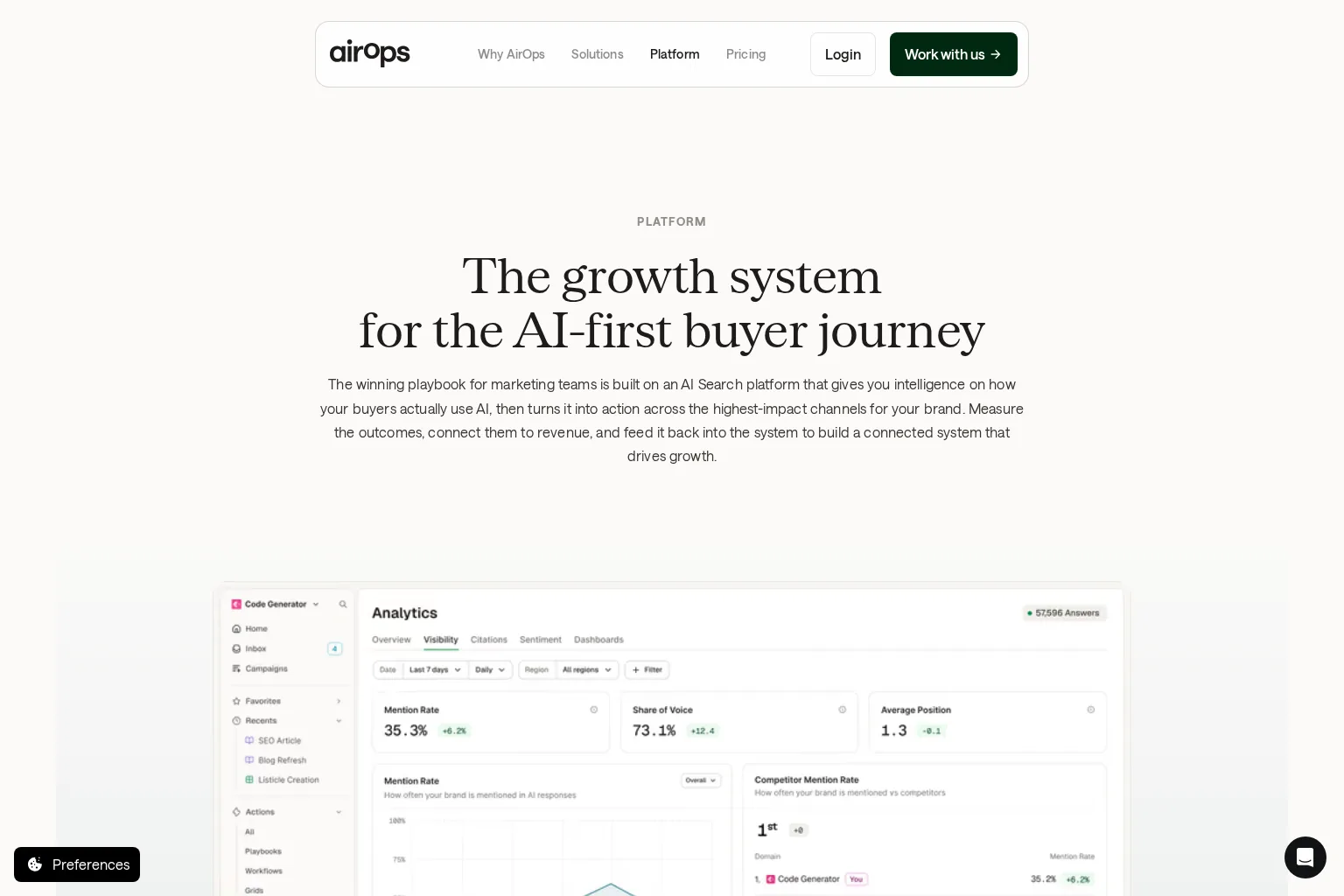
Best use case: A team with multiple data sources and an appetite for configuring the steps that turn opportunity signals into reviewed content and refreshes.
The AirOps platform describes linked intelligence, actions and measurement. Its workflows connect research, brand context and knowledge bases to content production, CMS delivery and subsequent page-level monitoring. More importantly for handoffs, AirOps documents a review inbox where execution pauses for an assigned reviewer to edit or approve, with comments and version-related controls. That makes it a stronger fit when a legal, product or editorial specialist needs a deliberate checkpoint between generation and release.
Where to probe: Ask what data feeds your opportunity choice, whether a reviewer can amend an artifact without restarting a run, and how a CMS field mapping preserves the page URL, metadata and update history. Its breadth is a benefit if your team will maintain those configurations; it may be more operational machinery than a small team needs for a single monthly blog. A platform claim about measurement is not proof that it will attribute revenue for your own site, so test the reports against the data you can actually connect.
Pricing approach: AirOps lists Solo, Pro and Enterprise arrangements, describes usage in tasks and says packages depend on volume and requirements. Its page does not present a simple universal monthly amount for these arrangements. Request a quote or check the checkout for your intended task volume, integrations and review permissions. In a pilot, count tasks consumed for one article and one refresh, not just for an AI draft.
3. StoryChief: Best for editorial approvals and multichannel delivery
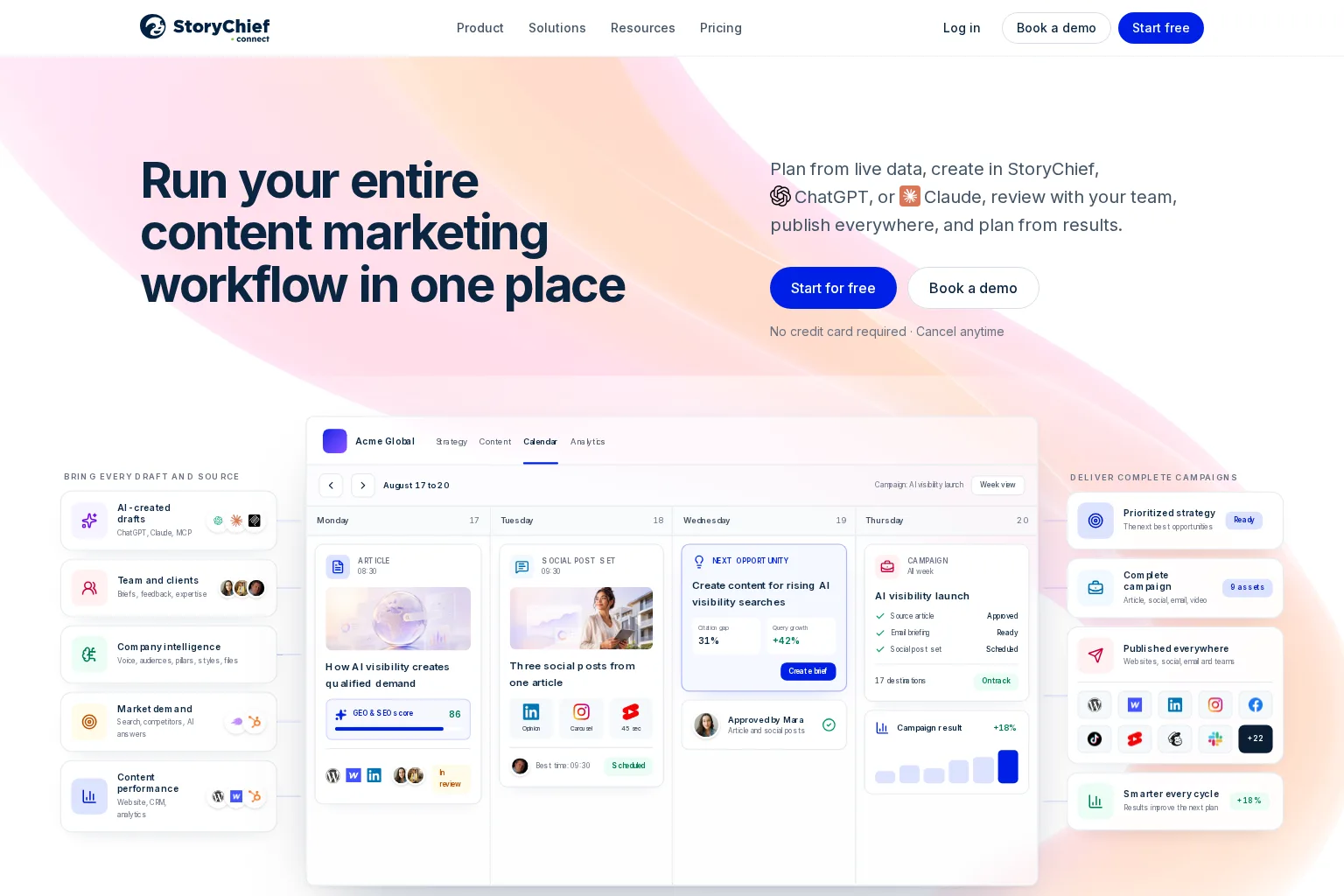
Best use case: A content team that treats the article as one part of a campaign and needs editors, contributors and distribution channels working from a shared calendar.
StoryChief's product site brings briefs, articles, feedback, publishing and performance into a campaign-oriented workspace. Its approval rules documentation explains settings for one or all approvers, required reviews before publishing, review due dates and an explicit logged bypass. Those details are more useful than a generic promise of ‘collaboration’: you can check whether a campaign waits for the right person and what happens when someone overrides the gate.
Where to probe: StoryChief presents data-led strategy and SEO analytics, but test whether its opportunity research and prioritisation match the depth and market data your team uses. A multichannel calendar is valuable when an approved article also needs social or email assets; if you only need a lean SEO blog pipeline, assess how much of that apparatus you would actually use. Confirm that the desired CMS, permissions and SEO fields work in your intended plan before migrating briefs.
Pricing approach: Its published pricing page separates Starter, Growth, Scale, Agency and Enterprise, with different allowances, billing displays and feature access. Crucially, the comparison grid lists approval workflows on Growth, Scale and Agency, but not Starter. Ask for a price in your currency and billing term with the required users, websites and approval feature included. A low entry price is not a useful comparison if the handoff you need sits in a higher tier.
4. n8n: Best for a custom workflow your technical team can own

Best use case: A team with an automation owner who wants to assemble research sources, a tracker, AI services, human approval and publishing through explicit triggers and integrations.
n8n is a general-purpose workflow builder, not a ready-made SEO strategist. Its WordPress integration examples illustrate how teams can connect publishing to other steps. A community-contributed SEO content template shows a Google Sheets tracker, AI drafting, email approval, revisions and final storage in Google Docs. Notice the last destination: that example creates a document, not a live WordPress article. You would need to design and validate your own publishing step, source of keyword evidence and post-publication monitoring.
Where to probe: Decide who handles failed executions, duplicate triggers, credentials, approval timeouts and a CMS rejection. Test that a rejected draft cannot take a second route to publication. Your team must supply the SEO judgment and maintain the integrations; flexibility does not mean an out-of-the-box research-to-refresh system. The community template is an example, not evidence that every workflow includes a built-in editorial policy.
Pricing approach: n8n's pricing page describes cloud usage in workflow executions and offers a self-hosted Community Edition. Budget separately for hosting, model and data-provider usage, implementation and maintenance where applicable. Rather than comparing an execution allowance with another platform's article allowance, price an actual end-to-end run and the people needed to keep it working.
Map the handoffs before choosing software
Here is the audit we would use for one proposed article. Treat each row as a question to answer in a demo: where is the artifact stored, who owns the decision, and what event moves it onward? Your implementation may combine stages, but it must not silently remove an approval.
Stage | Input becomes output | Accountable owner and gate |
|---|---|---|
Discover | Site, competitor and audience evidence becomes candidate opportunities | SEO lead checks the source and market fit. |
Assess | Candidate terms become a keyword and intent assessment | Strategist checks demand, overlap and existing-page relevance. |
Prioritise | Assessment becomes a calendar entry with a business reason | Content owner approves the topic and avoids duplicate planned pages. |
Brief | Approved topic becomes a documented angle, sources and success criterion | Editor checks audience, claims and requested evidence. |
Produce | Brief becomes copy, imagery, links and metadata | Writer or operator checks the output against the brief. |
Review | Draft becomes approved copy or a revision request | Named editor verifies facts, brand fit and editorial quality. |
Publish | Approved copy becomes a live canonical page | Publisher checks destination, rendered page and links. |
Measure and revisit | Page-level evidence becomes a keep, revise or retire decision | SEO lead checks Search Console data and records the next action. |

The final row must feed the next cycle. Google's Search Console performance documentation explains page- and query-level reporting for clicks, impressions and other search metrics. Those figures help you investigate an underperforming page; they cannot, by themselves, explain whether the article answered the reader's question. If AI search is also a goal, evaluate that visibility alongside normal web-search evidence rather than treating a brand mention as a conversion or an endorsement. Google's AI search guidance still emphasises useful, original content and the underlying technical requirements for search.
A practical scoring method for your shortlist
Give each platform a 0, 1 or 2 on each question: 0 means you could not demonstrate the handoff, 1 means a documented capability still needs an external manual step or unverified integration, and 2 means your team demonstrated the complete step with its intended people and destination. This is a buyer's test, not our assigned vendor rating.
Opportunity to plan: Can you preserve the original URL, evidence, target reader and reason for publishing, and avoid duplicating an existing page?
Plan to draft: Can the writer see business context, approved claims, intended search intent and a current brief?
Draft to decision: Can a named person reject, edit and explicitly approve before publication? Can you audit an override?
Decision to destination: Does the real CMS preserve images, links, metadata and the approved version, with a clear response to failure?
Live page to new decision: Can you associate search or AI visibility observations with the exact page and decide whether a refresh is justified?
A perfect score is not necessary. A zero at a non-negotiable approval gate, however, should stop the purchase until you have a safe alternative. Keep costs comparable by including software, external data or model fees, setup, and the editor's time for each option. Do not award points for a capability you only saw in a marketing mock-up.
Run a small pilot before scaling
Choose one site, one new article and one existing article needing evaluation. Write down the current workflow, including the minutes spent transferring evidence between tools and the owner of every approval. Then repeat those two journeys in each shortlisted platform. Use the same brief and reviewer, and keep auto-publishing off while you validate the publishing route.
Inspect the published new page on a real device. Check its URL, title, citations, images and links, then log any corrections. For the older page, require a reason to refresh based on page evidence and a specific improvement, not merely a low automated score. Record missed handoffs, revisions and manual work; decide whether the system reduced friction without reducing accountability. Only then consider more sites or an automatic schedule.
Frequently asked questions
Can SEO content publishing be fully automatic?
Some systems can schedule approved or generated content to a supported destination. That does not remove the need to define who checks facts, originality, permissions and the live page. Start with a review-first pilot, then decide whether any low-risk content type merits automatic delivery. Google's AI-content guidance focuses on the usefulness and accuracy of the result, not whether a person typed every sentence.
Does one platform have to do everything?
No. A specialist content system can carry most handoffs, while an integration tool connects a data source or CMS it does not support directly. The trade-off is ownership: if a step lives elsewhere, specify which system is the source of truth, how approval status crosses the boundary and who notices when the integration fails.
Choose the workflow you can explain
The right SEO workflow automation platform is the one whose real handoffs your team can describe and verify. Start with the gate that matters most to you, whether that is opportunity selection, client approval, CMS delivery or a measurable refresh loop, and make a vendor show it using your content. If your priority is a website-specific research-to-publishing process with optional human review, explore GrowthScout's workflow and its approach to separate client websites before deciding what to pilot.