
TL;DR
The best auto SEO tools automate different jobs. Choose GrowthScout for a connected research-to-publishing content workflow, Semrush for competitive research and recurring SEO monitoring, Screaming Frog SEO Spider for technical crawls, Alli AI for approved on-page changes, and Google Search Console for first-party search performance. Start with the handoff slowing your team down, then check what the tool actually does without approval.
An automated keyword list is not an SEO strategy. Neither is a scheduled crawl a technical fix, or an AI draft a published article worth reading. Growth teams need to know which inputs each product uses, what it produces, who approves consequential changes and where the result goes next.
We compared five identifiable products with documented automation in distinct parts of an ongoing SEO workflow. This is a comparison of their public capabilities and buying questions, not a hands-on performance test. We include our own product, GrowthScout, and apply the same criteria to it. Plan details and prices can change, so confirm your intended account and market at checkout.
Table of contents
- What counts as SEO automation?
- Who this comparison is for and how we assessed the tools
- 1. GrowthScout: for a site-aware content planning and publishing loop
- 2. Semrush: for competitor research, recurring audits and link monitoring
- 3. Screaming Frog SEO Spider: for repeatable technical crawls
- 4. Alli AI: for reviewing and deploying on-page changes
- 5. Google Search Console: for first-party search monitoring
- Choose the tool that removes your current handoff
- A pilot checklist for one real website
- Frequently asked questions
- Start with one accountable workflow
- Sources
- Recommended Reads
What counts as SEO automation?
SEO automation means software repeatedly collects information, produces recommendations, completes a defined task or transfers approved work without someone rebuilding the process each time. The unit of automation matters. A crawler can find a broken internal link but cannot decide the right replacement page; a writing tool can assemble a draft but cannot supply original business experience on demand.
Google's guidance on generative AI content explicitly calls for fact-checking and human review before publication, including metadata. It also cautions that generating many pages without adding value may violate its scaled-content policy. We therefore treat approval, traceability and a workable stop switch as product requirements, not optional niceties.
Who this comparison is for and how we assessed the tools
This list is for in-house growth teams and agencies that need to run SEO work continuously across one or more sites. We chose tools with public documentation for a meaningful automated task, rather than ranking every AI writer or assuming an all-in-one platform performs every specialist job equally well.
For each product we ask the same six questions: best use case; input data; output and automation depth; review controls; integration or reporting path; and price, limits and remaining manual work. We do not credit a tool with fixing something simply because it reports it. Where the public material does not establish a capability or a usable price, the pilot must answer that question.

Use this decision map to locate your bottleneck: research and planning, editorial production, technical discovery, live-page changes, or measurement. A human approval point belongs between a suggestion and any high-impact publication or site-wide change.
1. GrowthScout: for a site-aware content planning and publishing loop
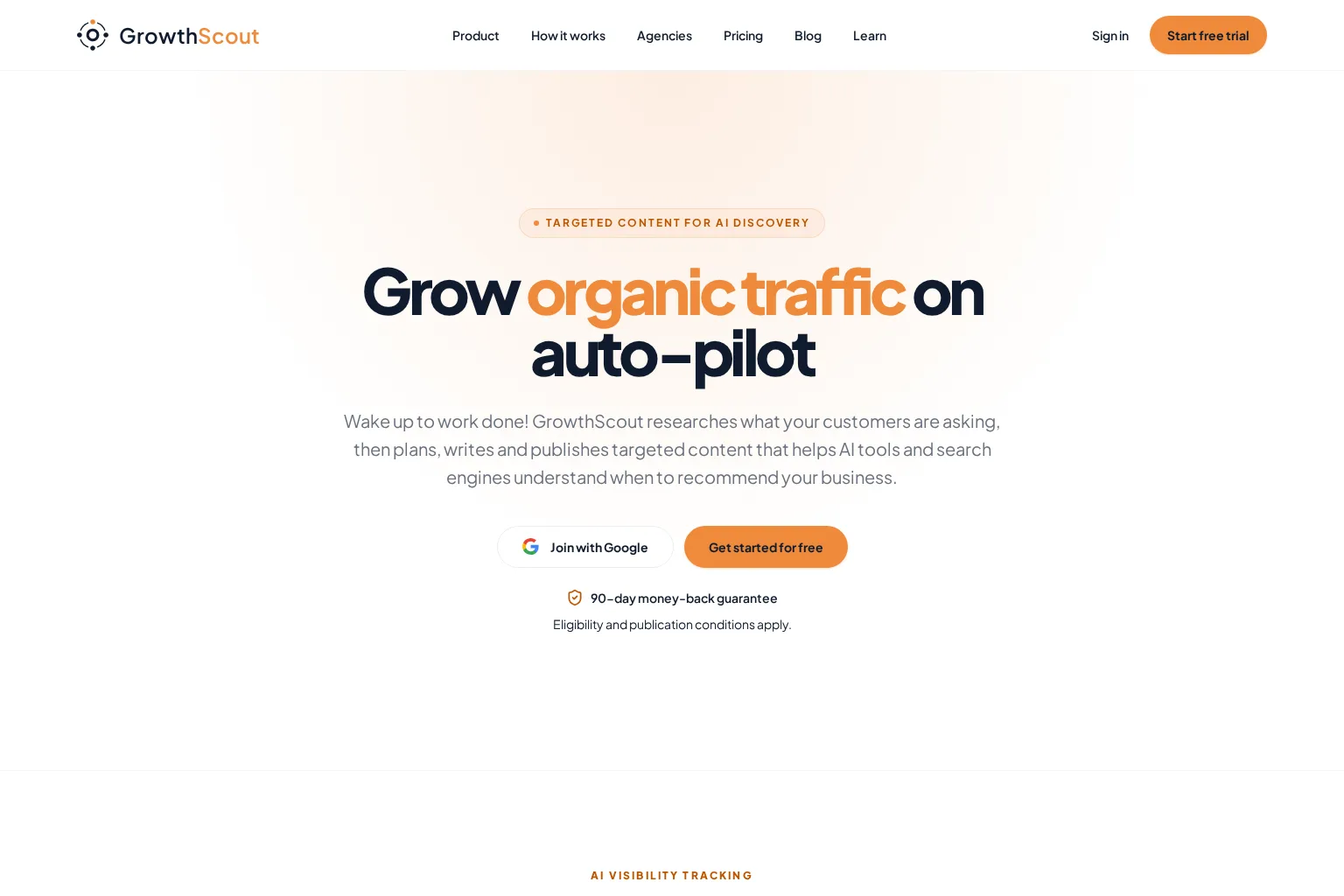
Best use case: A lean growth team or multi-site agency whose opportunity research, content calendar, drafts and publishing decisions keep drifting into separate systems. GrowthScout is our product; we built it to retain website context between those steps, rather than treating every new article as a blank prompt.
Inputs and output: The GrowthScout product overview describes a website crawl informed by your stated goals, audiences and competitors. The workflow audits important pages, prioritises keyword and content opportunities, builds a visible 30-day plan and prepares researched article drafts with website knowledge. An editor can inspect a planned article's angle and site fit, revise the finished copy and imagery, then publish manually, to WordPress, or through a webhook. Its site also describes weekly tracking for a defined set of AI prompts on the paid Growth plan. These are connected content operations, not a substitute for a specialist backlink index.
Control and limitations: Automatic publishing is optional. Keep it off while testing briefs and drafts, then consider scheduled delivery only when your editorial checks are reliable. The public page documents an SEO and AI-search audit, not automatic repairs to technical issues; it does not establish native keyword-rank tracking or guaranteed backlinks. Confirm your destination's fields, approval owner and what happens when a scheduled delivery fails. Agencies should check additional website capacity before assuming that one site's subscription covers every client.
Pricing and fit: The published three-day trial and Growth plan include three AI article drafts during the trial, then £74 per month per website, with 31 AI article drafts per paid month; the site says cancel anytime. Additional website capacity is priced in a separate in-app checkout, so request that amount when assessing an agency rollout. Choose GrowthScout when your costly handoff is moving from credible opportunities to reviewed, publishable work. If an extensive technical crawl or a link database is your first purchase, start with a specialist instead.
2. Semrush: for competitor research, recurring audits and link monitoring
Best use case: Teams with an SEO analyst who wants competitor and search data in one working environment, with recurring checks rather than another content production pipeline. Semrush is especially relevant when a person can interpret findings and assign work to editors or developers.
Inputs and output: Keyword Gap compares your keyword profile with competitors' profiles; treat any apparent gap as a page to inspect, not an automatic publishing order. Semrush Site Audit documentation describes scheduled daily or weekly recrawls and issue reports. Its Backlink Audit lost-and-found report tracks newly acquired, lost and broken referring domains. Together these cover competitive discovery, technical monitoring, off-site link awareness and reporting, but they do not themselves earn editorial links or implement every recommended fix.
Control and limitations: An analyst still needs to judge intent, inspect the affected URLs, verify link quality and decide whether a finding calls for a new page, an update or no action. In a pilot, record the source of each issue, who owns the fix and whether the next crawl actually confirms the change. Do not infer access to a specific report from the platform name: tier and add-on entitlements vary.
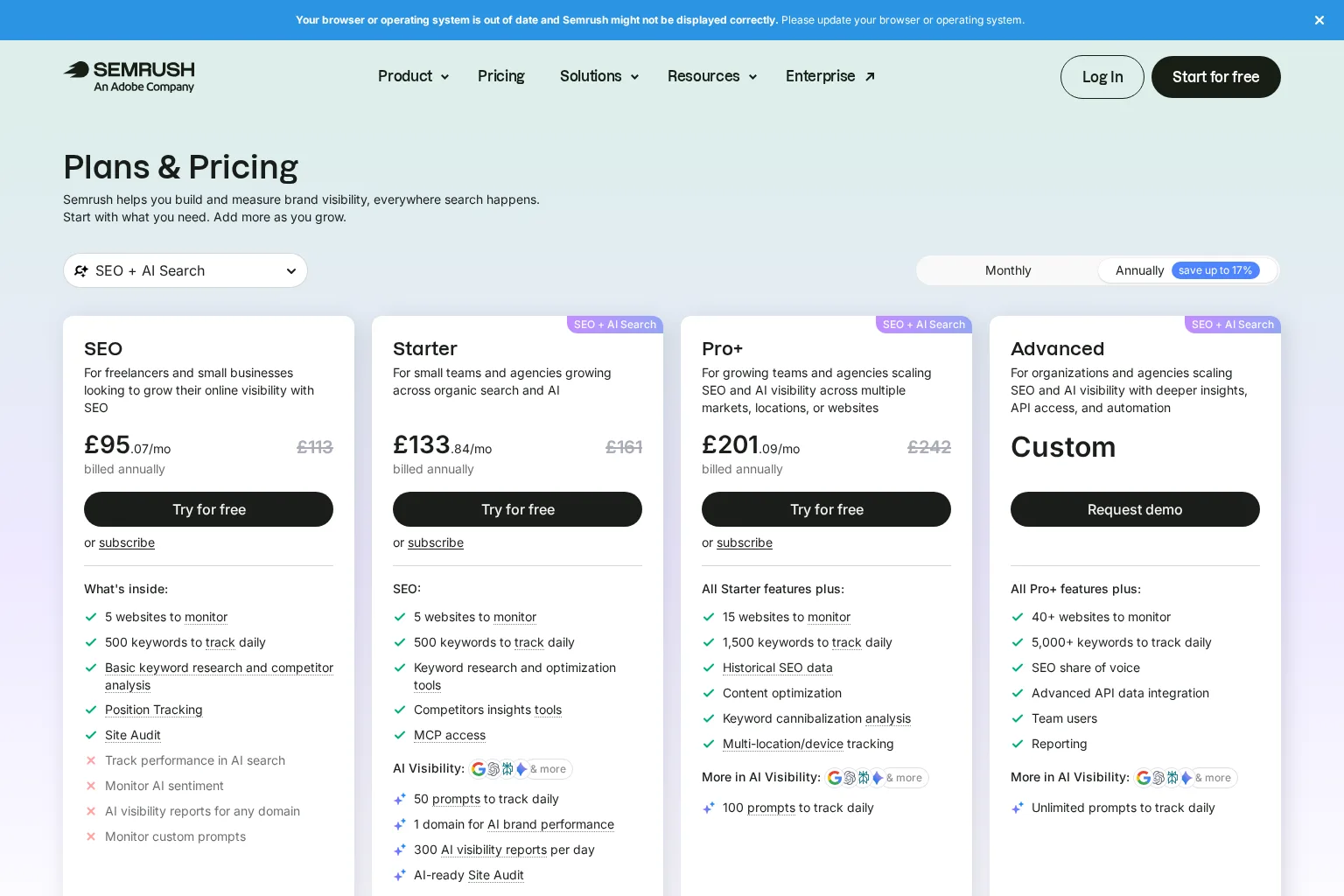
Pricing and fit: The UK SEO plan page lists £95.07 per month billed annually, rather than a no-commitment £95.07 monthly payment. It also displays a £113 monthly alternative, five monitored websites and 500 daily tracked keywords for that plan. Verify which tools and limits your intended tier includes. Choose Semrush when deeper competitor, audit and backlink evidence is worth the analyst time needed to act on it.
3. Screaming Frog SEO Spider: for repeatable technical crawls
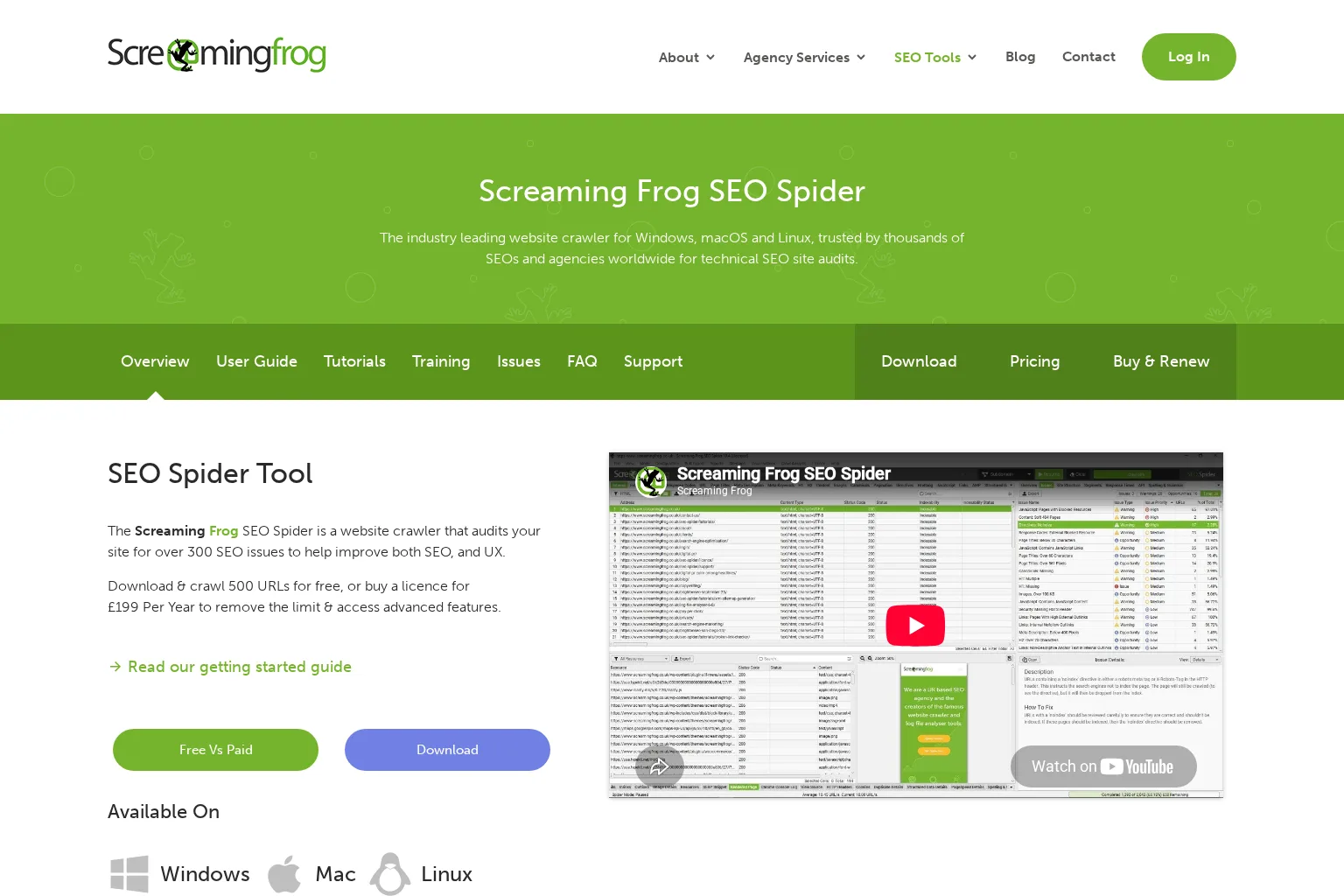
Best use case: An SEO or developer responsible for finding crawl and on-page problems across a site, validating migrations, or checking whether technical fixes stuck. This is a desktop crawler, not a content calendar or an automatic site editor.
Inputs and output: Give SEO Spider a website to crawl and it can surface broken links, redirect chains, duplicated metadata, indexability directives and internal-link structure. Its product page documents scheduled crawls, automatic export and crawl comparisons in the paid version. A useful agency routine is to retain each client's crawl configuration, export the issue set and compare the next crawl against the last approved fixes.
Control and limitations: The crawler discovers conditions; a human still needs to separate intentional redirects or noindex directives from mistakes, prioritise affected templates and assign changes in the CMS or codebase. Plan for the desktop environment, available memory and any access needed for protected pages or integrations. Ask whether scheduled runs will execute reliably in your team's setup before calling this fully unattended monitoring.
Pricing and fit: Screaming Frog states that the free download crawls up to 500 URLs, while the licence is £199 per year and unlocks scheduling and other advanced features. The paid crawl limit still depends on hardware and storage. Choose it when technical discovery and post-fix verification are the urgent jobs, especially if you already have people who can implement the corrections.
4. Alli AI: for reviewing and deploying on-page changes
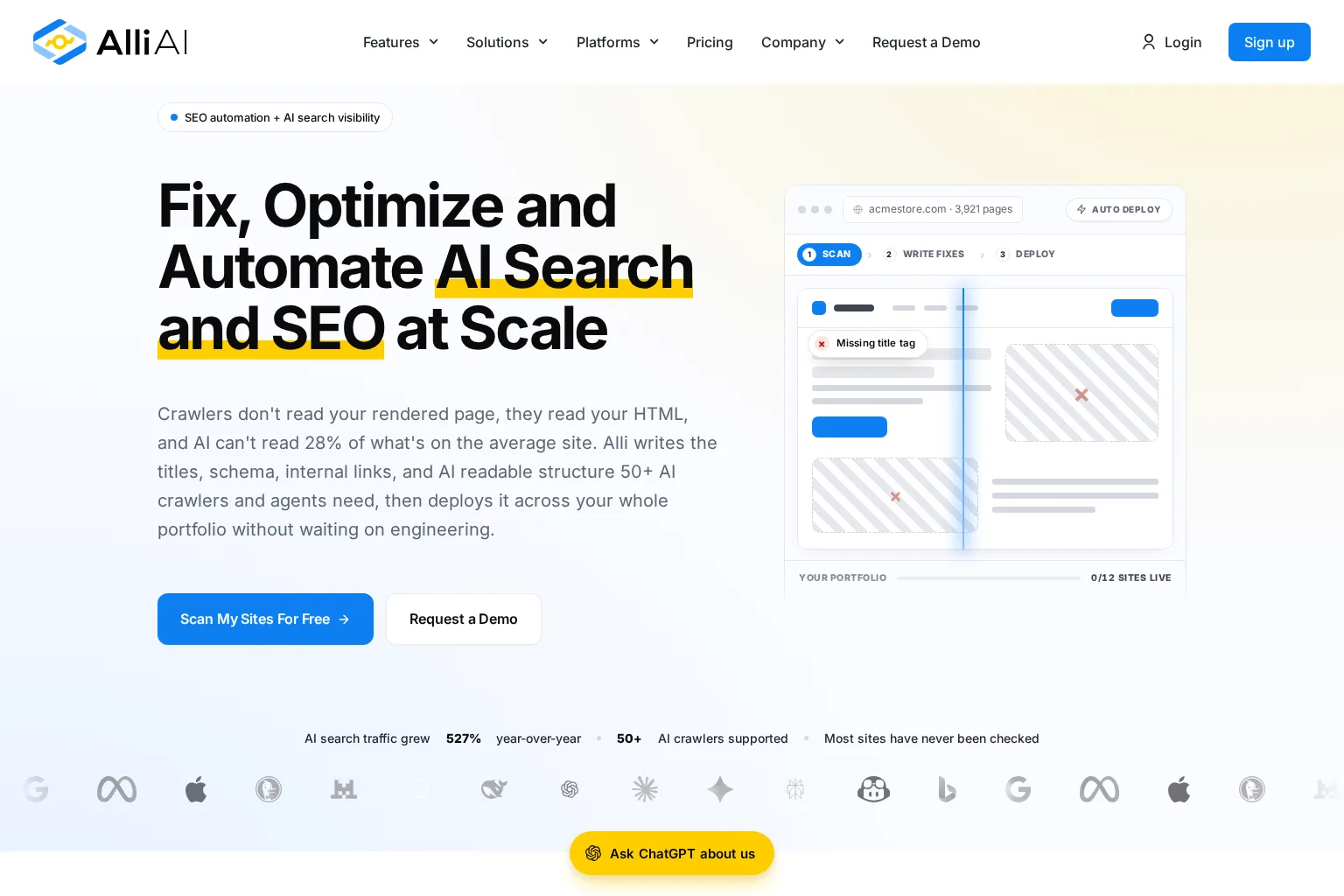
Best use case: Teams that have identified on-page improvements across many URLs but face a slow CMS or engineering release queue. Unlike a diagnostic crawler, Alli AI's documented workflow includes deploying approved on-page recommendations.
Inputs and output: Alli AI's on-page automation page describes adding a site snippet, reviewing recommendations, editing titles or descriptions and clicking Approve to make selected changes live. It also describes a Pages view that identifies live automations. Ask to see the exact rendered result on a representative page, not only the dashboard status. Its pricing and integration page describes broad CMS compatibility via a snippet and a ten-day trial.
Control and limitations: The approval step is useful, but a bulk approval can still deploy an unsuitable rule widely. Test a small URL set first; check page source and rendered HTML where appropriate, crawl visibility, rollback, access permissions and who owns conflicts with CMS-managed metadata. The company says some changes are made with JavaScript and may not appear in a browser's simple View Source. This is not a substitute for selecting topics or evaluating whether the page answers the reader's question.
Pricing and fit: Alli AI advertises a ten-day trial and monthly or annual options, but we could not establish a reliable numeric subscription price from the public pricing-page text reviewed. Ask for the actual website, page, seat and billing limits for your intended use. Choose it when deploying reviewed on-page recommendations is the bottleneck and your team can test how the changes appear to users and crawlers.
5. Google Search Console: for first-party search monitoring
Best use case: Every team with a verified site that needs to measure what Google Search actually shows and clicks, even if another paid tool manages research or production. Search Console belongs in the stack as a measurement and alerting layer, not as a replacement for an editorial workflow.
Inputs and output: Google's Search Console overview documents search traffic data, crawl and indexing reports, alerts for certain issues and a view of sites linking to yours. The Performance report includes clicks, impressions, click-through rate and average position, grouped or filtered by queries, pages, countries, devices and dates. Pair page-level results with your own lead or sales measures so rising impressions are not mistaken for commercial success.
Control and limitations: Search Console can alert you to issues and help inspect a URL, but it does not build a publishing calendar, repair your templates or explain the cause of every traffic shift. Give one person responsibility for triaging anomalies. Keep a note of launches, migrations and content changes before attributing an increase or drop to the tool you just adopted.
Pricing and fit: Google describes Search Console as a free service. The practical setup cost is property verification and time to interpret its reports. Choose it as your baseline whether your main paid investment goes toward planning, technical diagnostics or on-page execution.
Choose the tool that removes your current handoff
If opportunities are identified but not turned into approved work, test GrowthScout. If you need more competitive context plus recurring SEO checks, investigate Semrush. If the site keeps accumulating technical issues, run Screaming Frog. If good recommendations stall in implementation, test Alli AI on a controlled group of pages. Keep Search Console as the reference for Google Search outcomes. These can be complementary rather than five subscriptions to buy at once.
For agencies, compare the unit of separation before the feature count: distinct client data, configurations, permissions, approval owners, publishing destinations and reporting views. A shared process is useful; shared client facts or the wrong CMS credentials are not. We would shortlist only products that can show the actual handoff your team needs, then calculate the full cost of licences, extra sites, human review and development time.
Link work deserves its own decision. A monitor that detects lost domains does not replace legitimate outreach, and an automated promise to create backlinks should trigger questions about placement control, relevance and link qualification. Google's link-spam policy lists excessive link exchanges and automated link creation among manipulative practices. That is a reason to inspect the method, not an allegation that any product in this list violates the policy.
A pilot checklist for one real website
Use a fortnight of representative work, not a perfect demo project. Begin with one site, one priority audience, two existing pages, one proposed article and a known technical issue. Assign an editor, an SEO owner and, for site changes, a developer or CMS owner.
- Record the baseline: Note the relevant Search Console queries and pages, editorial turnaround time, open technical issues and the number of manual handoffs. Keep the date and market attached to third-party keyword estimates.
- Follow one opportunity: Can the product show its input, competing pages, existing-site coverage and reason for suggesting an update or a new URL? Have an editor reject an irrelevant suggestion.
- Trace one change: Inspect the draft or recommendation, evidence, preview, approval, live destination and any rollback. Test an intentional pause or failed handoff rather than assuming the happy path is the only path.
- Measure work and outcome separately: Count avoided manual steps and correction time; then watch page-level clicks, impressions and qualified actions over a suitable period. A faster draft is not evidence of increased traffic.
- Price the real operating model: Check commitment, site and user limits, usage allowances, technical support and time needed from your team. For agencies, repeat the permission and data-separation test with a second client before expanding.
A pilot passes when the tool reliably removes the intended bottleneck without making ownership less clear. If accuracy or review time deteriorates, narrow the automation before increasing its output.
Frequently asked questions
Can one tool automate all of SEO?
A product may connect several tasks, but a research report, technical fix, editorial decision and performance interpretation are different jobs. Ask the vendor to demonstrate each promised action on your site and identify which ones still require a person.
Do auto SEO tools guarantee rankings?
No. They can make checks and handoffs more consistent, but search results and business outcomes depend on the page, audience, competitive environment and implementation. Set a baseline and evaluate the work produced rather than treating an automation setting as a traffic guarantee.
Should we enable automatic publishing immediately?
We recommend starting with review-first drafts. Check sources, product facts, images, links and final CMS fields, then decide whether a narrow class of approved content can safely be scheduled. Google's AI-content guidance calls for manual review and fact-checking before publication.
Start with one accountable workflow
At GrowthScout, we would rather see your team consistently publish one well-chosen, checked article than accelerate a queue of unreviewed drafts. If the missing link is between website-aware research, a realistic content plan and an editable article, explore GrowthScout's research-to-publishing workflow and test it against the pilot checklist. Keep the specialist tools that solve different jobs.
Sources
- GrowthScout product overview, workflow and plan
- Semrush Keyword Gap
- Semrush Site Audit documentation
- Semrush lost-and-found referring domains
- Semrush UK SEO and AI Search plans
- Screaming Frog SEO Spider features and licensing
- Alli AI on-page automation and approval
- Alli AI plans and integrations
- Google Search Console product overview
- Google Search Console Performance report
- Google guidance on generative AI content
- Google Search spam policies
Recommended Reads
- SEO Content Automation: What to Automate, What to Review, and How to Measure It for setting specific approval gates across the content lifecycle.
- 4 Automated Keyword Research Tools for Growth Teams for a closer comparison of opportunity discovery and prioritisation.
- 4 SEO Publishing Automation Tools for Review-First Content Workflows for checking the brief-to-CMS handoff in more depth.